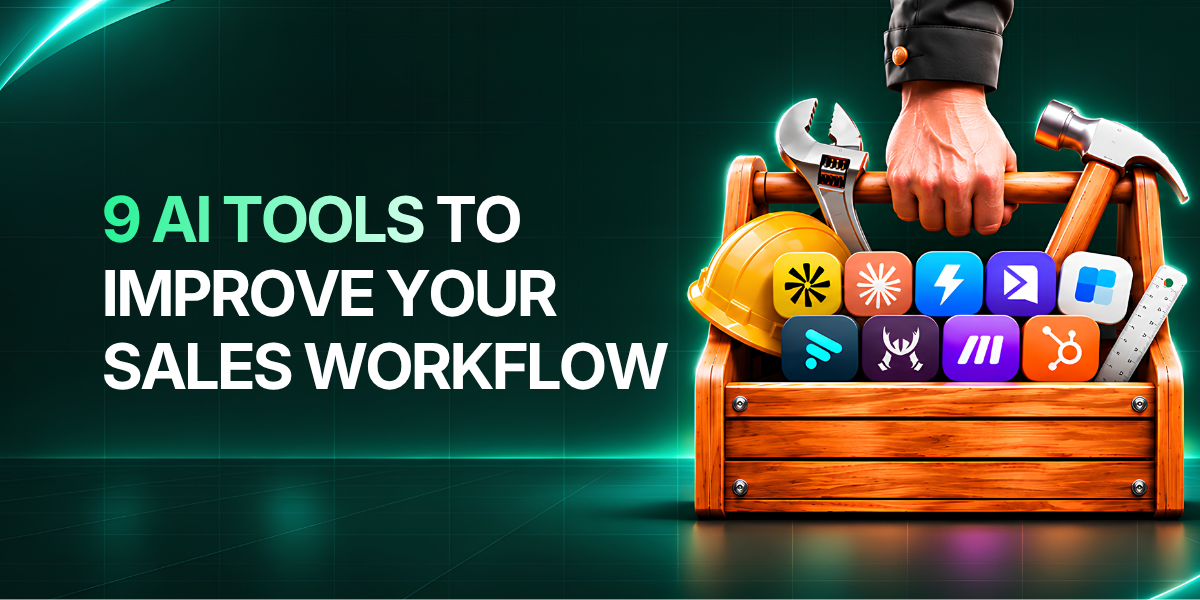
There are dozens of AI sales tools out there. Finding them is easy. The hard part is knowing which ones are useful, and where they fit in your sales process.
Below are 9 tools across the full sales workflow: finding prospects, writing outreach, automating tasks, analysing calls and managing your pipeline. More importantly, I'll show how they connect.
The goal isn't to replace salespeople. It's to cut the manual work, so leads move from prospecting to outreach to closing without getting stuck in spreadsheets or scattered tools.
Whether you're an SDR, an AE, a founder or a sales leader, these are the tools worth knowing.
1. Claude
Claude is where I'd start, because it's the part that does the thinking. You give it your lead lists, your customer data and your ICP (who your best customers actually are), and it helps you work out who to go after and what to say to them.
Most teams skip this bit. They go after whoever's on the list and burn hours on people who were never going to buy.
What I'd do with it:
- Get your leads in. You have 2 options here: Option 1: Upload an existing lead list based on your ICP and ask, "Which of these leads are most likely to convert, and why?" Option 2: Connect Claude to Apollo or your existing database via MCP (basically a way to plug Claude straight into your other tools) to pull a fresh lead list. We'll cover Apollo in the next section.
- Ask Claude to rank the leads so your team knows who to reach out to first.
- Drop in your pitch and ask how to make it more relevant to those specific leads.
One thing that makes a big difference: Set up a Project in Claude for the offer you're selling right now and keep adding information to it. The more context you give it, the better it understands your offer and your ideal customers.
2. Apollo
Once Claude has helped you figure out exactly who you want to target, it's time to find those people using Apollo.
Apollo is a huge database of prospects that keeps updating. You can find people by job title, company size, industry, hiring activity and buying intent signals.
But instead of going into Apollo and manually applying filters, connect Apollo to Claude through MCP.
Now you can just tell Claude who you're looking for, based on the customer profile you created in step one. Ask it to find founders or heads of sales at companies with 20 to 200 employees in a specific industry, for example.
Claude will use Apollo to find matching prospects and pull their details for you, ready for your outreach.
Way better than building lists by hand in a spreadsheet that's out of date a month later.
3. Instantly
If you send a load of cold emails from one inbox, you'll end up in spam pretty quickly, and once that happens it's hard to fix.
Instantly sorts that out. It manages multiple sending domains, warms up your inboxes and lets you send at volume without wrecking your deliverability.
A couple of things I'd always do:
- Use separate domains for cold email, never your main company one.
- Give the new inboxes time to warm up before you start sending.
- Once your Apollo list is ready, load it into Instantly and launch. Claude can help you with this too.
4. Sendspark
Cold emails all look the same at this point. Sendspark lets you send a short video instead, and it personalises it automatically, so each person sees their own website playing behind you.
People can tell straight away you've actually looked at their business, which is why it gets more replies than a plain email.
You record one video about how you help businesses like theirs, Sendspark does the personalising, and you drop it into your outreach. I wouldn't use it on every lead, just the ones you really want.
5. Clearbit
When a lead comes in with just a name and an email, you don't know much about them. Clearbit fills in the rest automatically: company size, revenue, their role, and the software they already use.
That helps in two ways. You can check quickly whether they're actually a good fit, and if they are, you're not walking into the first call knowing nothing about them.
If you're on HubSpot, Clearbit's part of HubSpot now, so you'll find it inside as Breeze Intelligence.
6. Make.com
Make is what connects everything. Without it, someone on the team ends up copying leads between tools, updating the CRM by hand and trying to remember who needs a follow up. That's usually where leads get lost.
A simple version you can build:
- A new lead comes in
- Make pushes it into your CRM
- The lead gets enriched
- AI gives it a score
- Outreach starts automatically
Once it's set up you barely have to think about it.
7. Fathom and Kendo AI
After most sales calls, people just have a feeling about how it went. Fathom records and transcribes the call, then you put it into Kendo AI, which tells you what worked, what didn't, and where you're losing deals.
I'd change one thing at a time. Read the feedback, tweak the pitch or the script, then see if the next few calls go better. Do that every week and the whole process slowly gets sharper.
8. Attention
Fathom and Kendo are for after the call. Attention is for during it. It listens in on your live calls, suggests what to say next, reminds you of points you haven't covered yet and flags objections as they come up.
The objection part is probably the most useful. You deal with it on the call, instead of thinking of the perfect answer an hour later.
9. HubSpot AI
HubSpot's been around for ages and it's probably the biggest CRM out there. The newer AI features take a lot of the pipeline work off you: scoring leads so the team knows who to call first, prioritising deals, sending them to the right person, and tracking how the pipeline's doing.
If your pipeline's managed by hand, deals get forgotten. Simple as that.
Not using HubSpot? You can export your CRM data, give it to Claude and ask which leads look promising and which don't.
Putting It Together
Claude for strategy, Apollo for leads, Instantly for cold email, Sendspark for video, Clearbit for enrichment, Make to connect it all, Fathom and Kendo to learn from your calls, Attention to help during them, and HubSpot to run the pipeline.
You don't need to try them one by one. Most of the value comes from connecting them, so leads get found, enriched, contacted and followed up without someone doing it all by hand.
Some sales teams are already working like this and getting a lot more done with fewer people. If your team is still just asking ChatGPT for the odd email, you're behind. And being anti AI altogether is worse.
That said, AI doesn't know what makes a good salesperson or why a deal really closes. It's there to help your team, not replace them, and someone still needs to check what it's doing and steer it.
And a lot of these tools you can use through Claude by connecting them via MCP. So instead of jumping between dozens of different tools, you connect the ones you need to Claude, then just talk to Claude to get the most out of each one and piece your whole system together.
If you're figuring out how to use AI in your own business, I talk about this stuff on my socials. Follow along:
TikTok: @jakeongrowth
Instagram: @jakeongrowth
LinkedIn: Jake Lee (Jake On Growth)
X: @jakeongrowth